Remote Connect
A modern remote device access mobile app designed to simplify screen sharing, device connectivity, and remote control through a secure, intuitive, and seamless user experience.
Featured project
Connecting Devices. Simplifying Control.
App screens
The project
Making Remote Device Access Simple and Seamless.
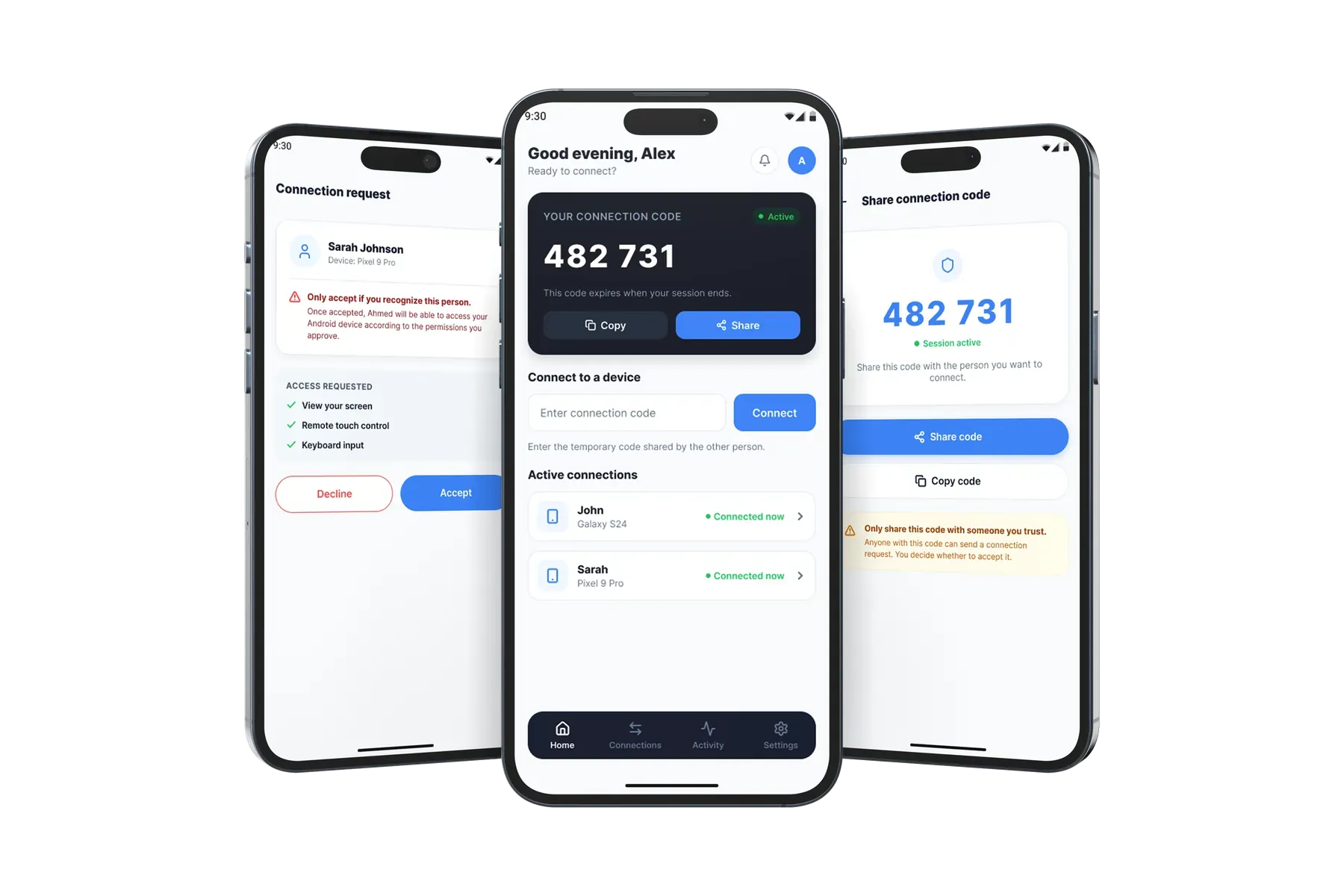
Remote Connect is a remote device access and screen sharing mobile app concept designed to help users connect with other devices, view remote screens, and manage active sessions through an intuitive interface. The app brings connection codes, remote control tools, activity tracking, and device management together in one centralized platform.
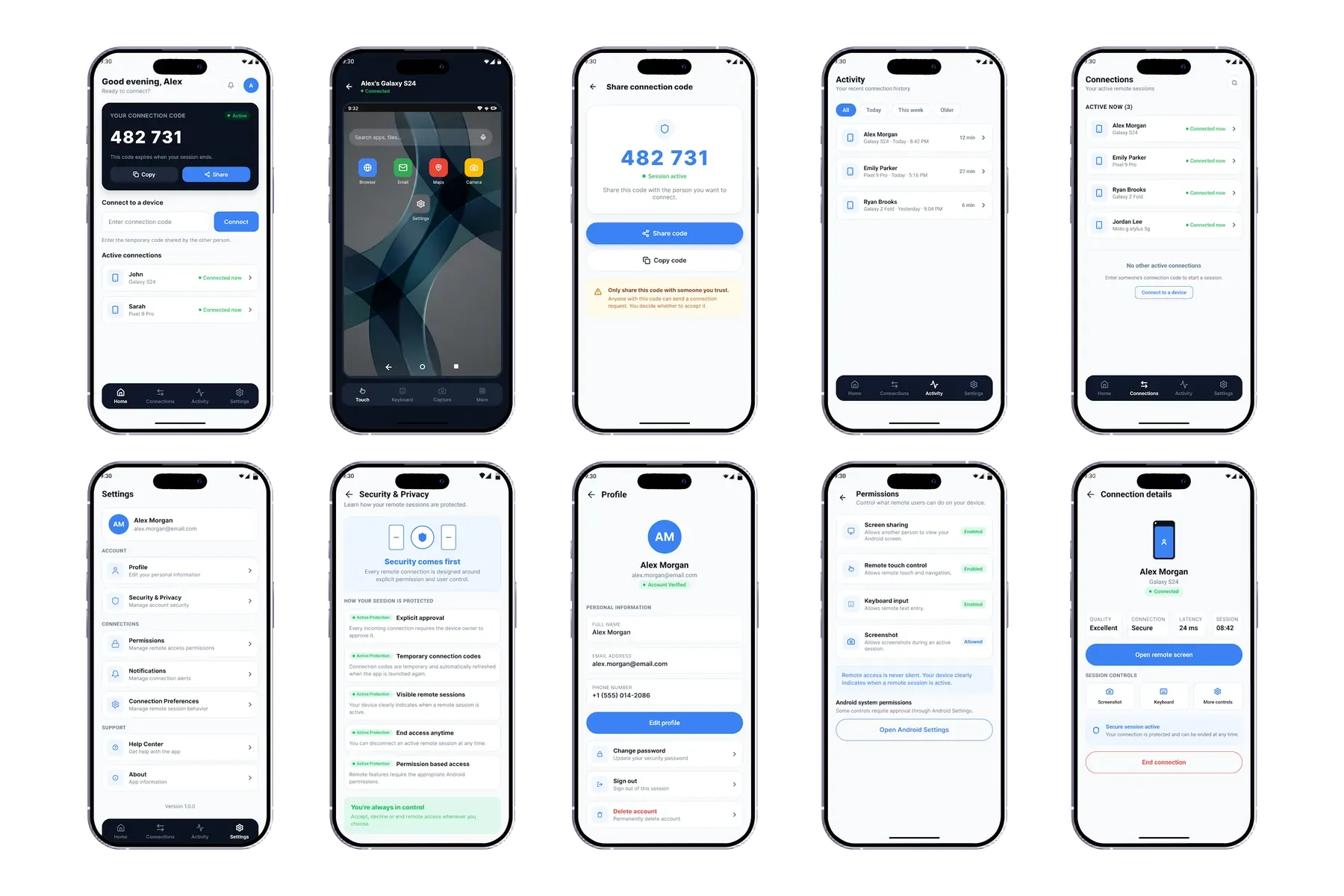
Our focus was to create a user-friendly remote desktop app design that simplifies device connectivity while prioritizing transparency and user control. From generating temporary connection codes and accessing remote screens to reviewing connection history and managing permissions, every interface was designed for clarity, accessibility, and effortless navigation.
- Industry
- Technology & Remote Connectivity
- Expertise
- Mobile App UI/UX Design, Product Design
- Experience
- Remote Access & Screen Sharing Mobile App
- Screens
- Mobile Application
- Tags
- Remote Access App
- Screen Sharing App
- Remote Control UI/UX
- Device Connection
- Mobile App Design
Challenge and approach
Making Complex Connections Feel Effortless.
Designing a remote access application requires balancing powerful device control features with simple navigation and clear security permissions. The challenge was to make device pairing, screen sharing, remote interactions, and connection management easy to understand without overwhelming users with technical complexity.
We approached Remote Connect with a user-centered UI/UX design strategy, focusing on streamlined connection flows, organized session information, and transparent permission controls to create an accessible remote connectivity experience.
- Effortless Device PairingA straightforward connection code interface makes it easier for users to initiate and manage remote device sessions.
- Permission-Based AccessClear permission settings, connection status indicators, and session controls help users understand and manage remote access.
- Seamless Remote InteractionAn organized remote screen interface brings touch controls, keyboard access, and session tools into one convenient workspace.
The experience
Designed for Access. Built for Control.
- 01
Connect & Share Devices
A streamlined connection dashboard allows users to generate temporary access codes, share connection details, and initiate remote device sessions through a simple interface.
- 02
Access & Control Remotely
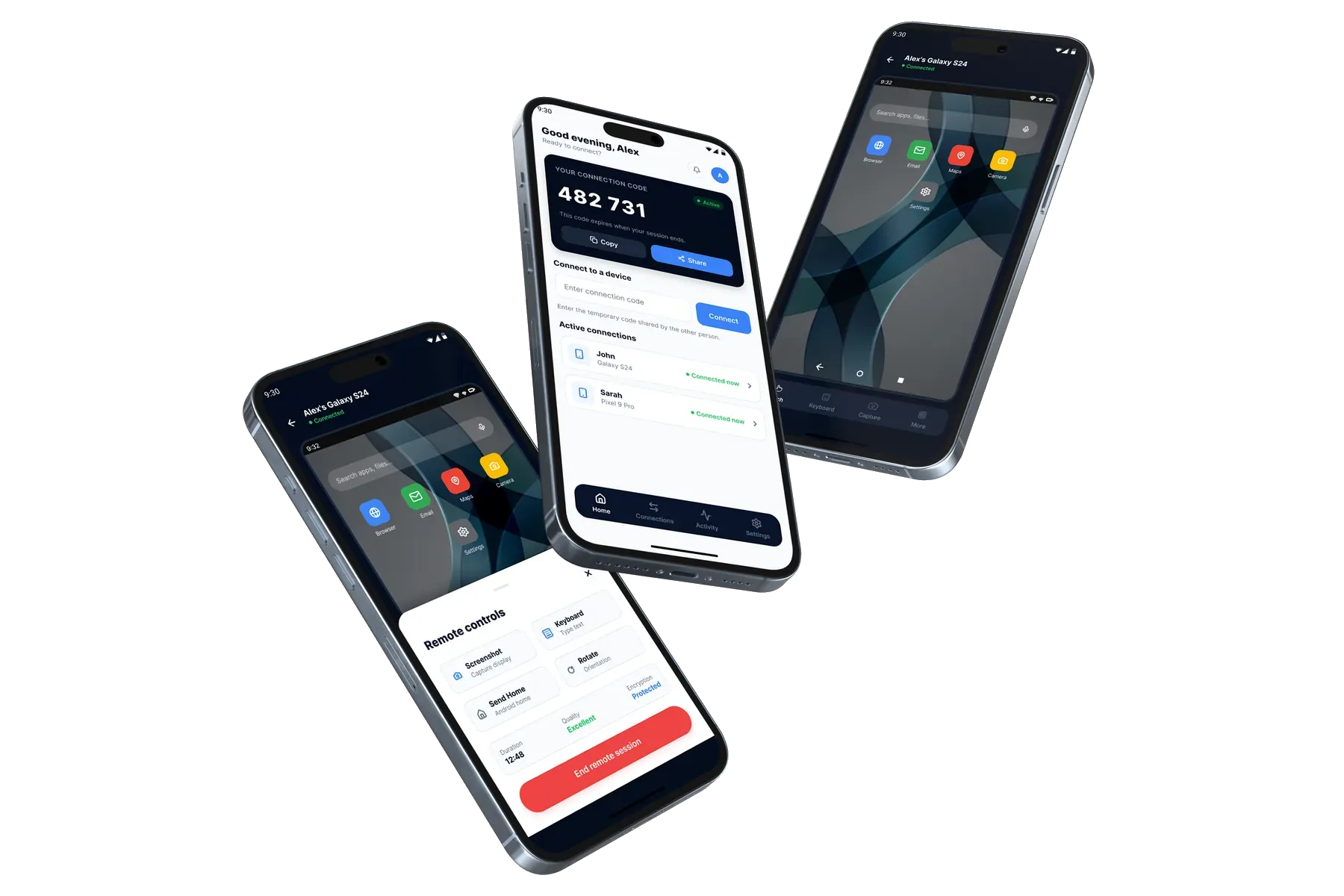
An intuitive remote screen interface provides access to connected devices with touch controls, keyboard input, screenshot options, and additional session tools.
- 03
Manage Connections & Activity
Organized connection lists and activity history screens help users review connected devices, monitor session information, and navigate previous remote interactions.
- 04
Control Security & Permissions
Dedicated security settings, device permissions, and session management interfaces give users clear visibility into remote access controls and connection preferences.
Related services
Mobile App Development UI/UX Design
More case studies
Global Med Booking City Rides Epicnap NYC Factory Shopizio The Last Battalion Velora ViralScoutAI
Free quote, no obligation
Tell us about your project.
Let us make it happen.
Share your idea and we will reply with questions and a clear plan. New clients get 50% off their first order.
Our toolbox
Technologies we build with
- WordPress
- Shopify
- React JS
- Node.js
- Angular
- MongoDB
- Next.js
- Laravel
- PHP
- Magento
- Drupal
- Webflow
- WooCommerce
- Vue.js
- Illustrator
- Photoshop
- CorelDRAW
- Android
- Apple iOS
- Flutter
- Swift
- Kotlin
- Figma
- OpenAI
- Python
- TypeScript
- Firebase
- Stripe
- Google Ads
- n8n
- Zapier
- After Effects
- Canva
- Premiere Pro