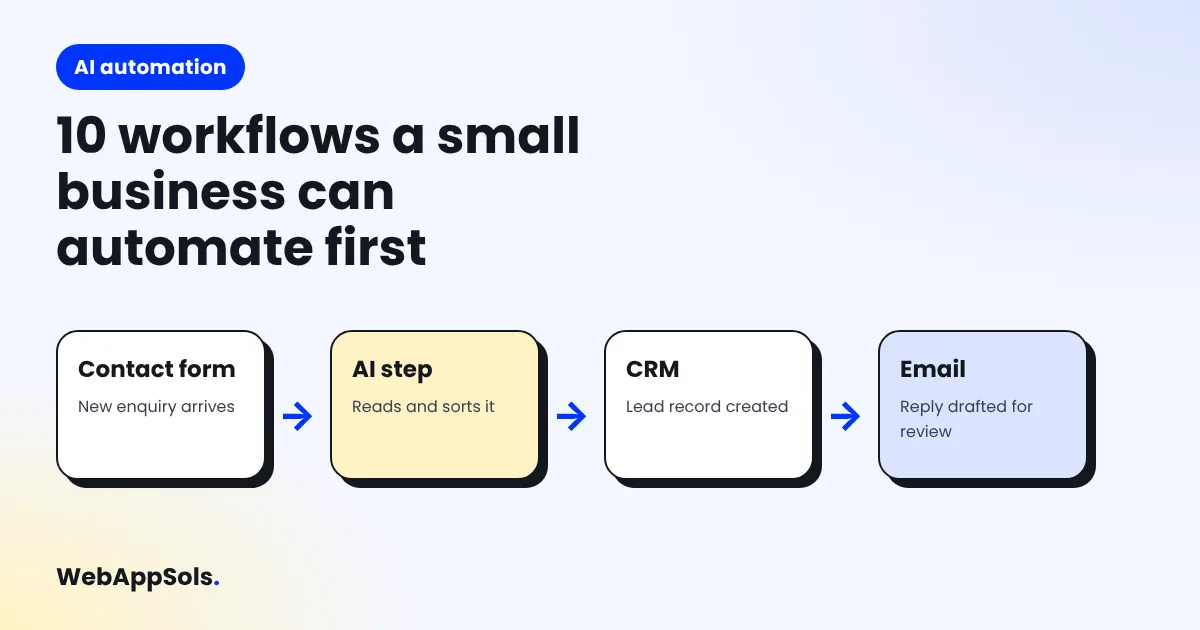
Most small businesses do not need an AI strategy deck. They need back the 20 minutes a day spent copying form entries into a spreadsheet, or the hour spent sorting the inbox. AI automation earns its place when it takes over repetitive work like that and leaves the decisions to people.
What AI automation means in practice
Traditional automation follows fixed rules: when a form is submitted, add a row to a sheet. AI automation adds a step that can read and write language, for example summarizing an inquiry, pulling the total from an invoice PDF, or drafting a reply. Tools such as Zapier, Make and n8n connect your apps; an AI model does the reading and writing in between.
How to choose your first workflow
Score each candidate task on four questions:
- Volume: does it happen many times a week?
- Repetition: is it done roughly the same way each time?
- Inputs: does the information arrive digitally (email, form, PDF)?
- Risk: if the automation makes a mistake, is it easy to catch and fix?
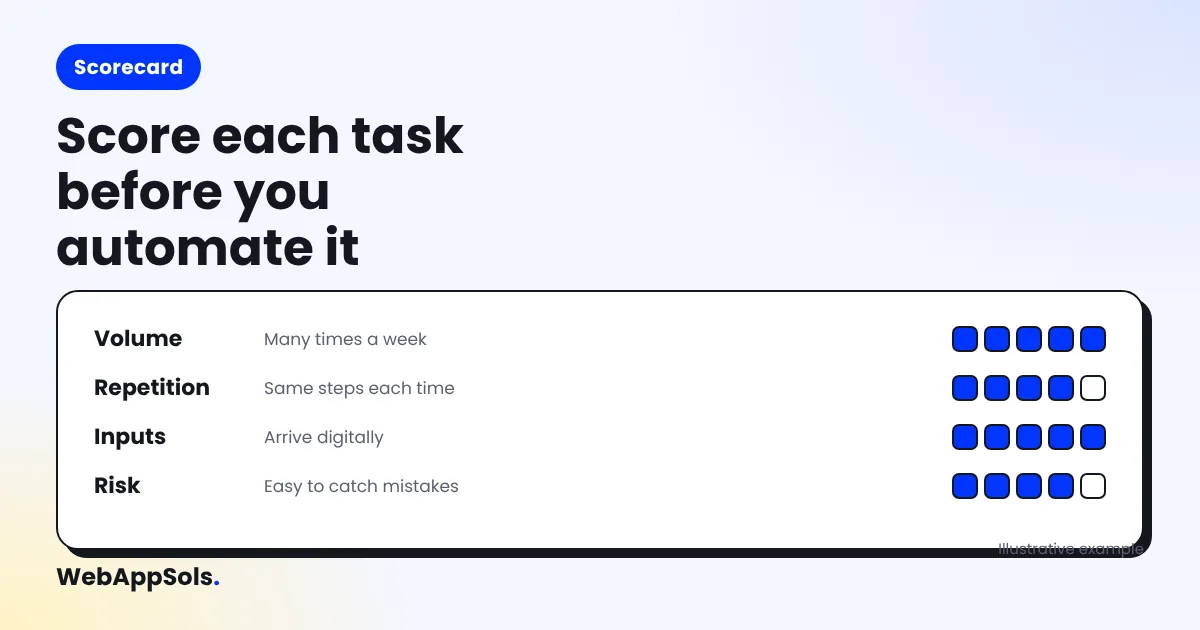
Start with a task that scores high on the first three and low on risk. Early wins build trust in the system.
10 AI automation workflows for small businesses
Sales and leads
1. Lead capture and routing. Inquiries from your website, ads or email are read by AI, tagged by service and urgency, added to your CRM and sent to the right person.
2. Quote and proposal first drafts. AI drafts a proposal from your template and the client's inquiry; a person checks pricing and scope before it goes out.
3. Follow-up reminders. If a lead has not replied after a set number of days, a polite follow-up is drafted for your approval.
Customer service
4. Inbox triage. Incoming email is sorted into support, billing, sales and spam, each with a short summary, so urgent messages surface first.
5. Answering common questions. An AI chatbot trained on your own pages answers routine questions on your website and hands complex ones to staff.
6. Review requests and reply drafts. Finished jobs trigger a review request; new reviews trigger a draft reply for you to approve.
Operations and admin
7. Invoice and receipt data extraction. AI reads totals, dates and vendors from PDFs and photos and sends them to your accounting tool or a sheet for review.
8. Meeting notes to tasks. Call transcripts are summarized and action items created in your project tool.
9. Appointment confirmations and reminders. New bookings trigger confirmations and reminders, reducing no-shows without staff time.
10. Weekly reporting summaries. Figures from your CRM, ads and analytics are pulled together and summarized in plain English every Monday.
What should stay in human hands
Keep a person in the loop for anything that commits money, makes promises to customers, involves legal or medical judgment, or deals with an upset customer. AI drafts; people approve. The free NIST AI Risk Management Framework offers a structured way to think through these risks.
Data, privacy and accuracy
- Know where your data goes. Check each tool's data-retention and model-training settings before connecting customer information.
- Limit access. Connect only the accounts and fields a workflow needs.
- Log everything. Keep a record of what the automation did so mistakes can be traced.
- Be honest with customers. If a chatbot is AI, say so. The FTC has warned businesses against overstating what their AI does.
Getting started: a four-step plan
- Write down the current process step by step, including who does what.
- Pick one workflow using the scorecard above.
- Run a two-to-four-week pilot with human review of every output.
- Measure time saved and error rates, then decide whether to expand.
The tool matters too; our comparison of n8n vs Zapier vs Make explains the trade-offs.
Frequently asked questions
Is AI automation expensive for a small business?
It does not have to be. Many workflows run on tools you already pay for plus usage-based AI fees. The larger cost is usually setup and testing, which is why starting with one workflow makes sense.
Do I need a developer to automate with AI?
Simple workflows can be built in no-code tools. Workflows that touch several systems, handle sensitive data or need proper error handling usually benefit from a developer.
Will AI automation replace my staff?
For most small businesses it removes repetitive tasks rather than roles, giving staff more time for customers and higher-value work.
What is the difference between automation and an AI chatbot?
Automation moves information between systems in the background. A chatbot talks to people. Many businesses use both: the chatbot collects details and an automation routes them.
Need help with this?
Not sure which workflow to automate first? Tell us how your team spends its week and we'll suggest a starting point in a written quote. AI automation projects start from $750 on your first order.