Once you know what your website should do, the next question is what to build it on. The two main routes are WordPress, the most widely used content management system, or a custom-coded site built with frameworks such as React, Next.js or Laravel. Each has real strengths. The right one depends on who edits the site, what it must do and how you plan to maintain it.
What each option is
WordPress
WordPress is an open-source CMS. Your team edits pages and posts in a dashboard, a theme controls the design, and plugins add features such as forms, SEO settings and e-commerce (WooCommerce).
A custom-coded website
A custom-coded site is built by developers using a framework like Next.js (React) or Laravel. Every feature is written for your needs. Content can live in the code, in a database, or in a headless CMS that gives editors a dashboard.
WordPress vs custom code compared
| Factor | WordPress | Custom-coded |
|---|---|---|
| Content editing | Built-in dashboard, familiar to many | Needs a CMS or developer for changes |
| Factor | WordPress | Custom-coded |
|---|---|---|
| Upfront cost | Usually lower | Usually higher |
| Features | Thousands of plugins | Built exactly as needed |
| Speed | Good when themes and plugins are kept lean | Can be very fast; pages can be pre-rendered |
| Security | Needs regular core, theme and plugin updates | Smaller attack surface, still needs updates |
| Developer dependence | Many WordPress developers available | Tied to developers who know the stack |
| Best for | Content sites, blogs, brochure sites, many small businesses | Web apps, unusual features, high-traffic or performance-critical sites |
When WordPress is the better choice
- Several people need to publish pages and blog posts without a developer.
- Your features exist as well-maintained plugins (forms, bookings, memberships).
- You want a large pool of developers who can support the site later.
- Budget and timeline favor proven building blocks.
The trade-off is upkeep. WordPress sites need regular updates; the official hardening guide explains the basics.
When a custom-coded website makes sense
- The site behaves like an application: dashboards, logins, calculators or complex search.
- Speed and performance are a priority and you want full control over every request.
- You need deep integrations with your own systems.
- Plugins would be a patchwork of features that conflict or slow the site.
For apps built on JavaScript end to end, see our guide to the MERN stack.
The middle ground: headless CMS
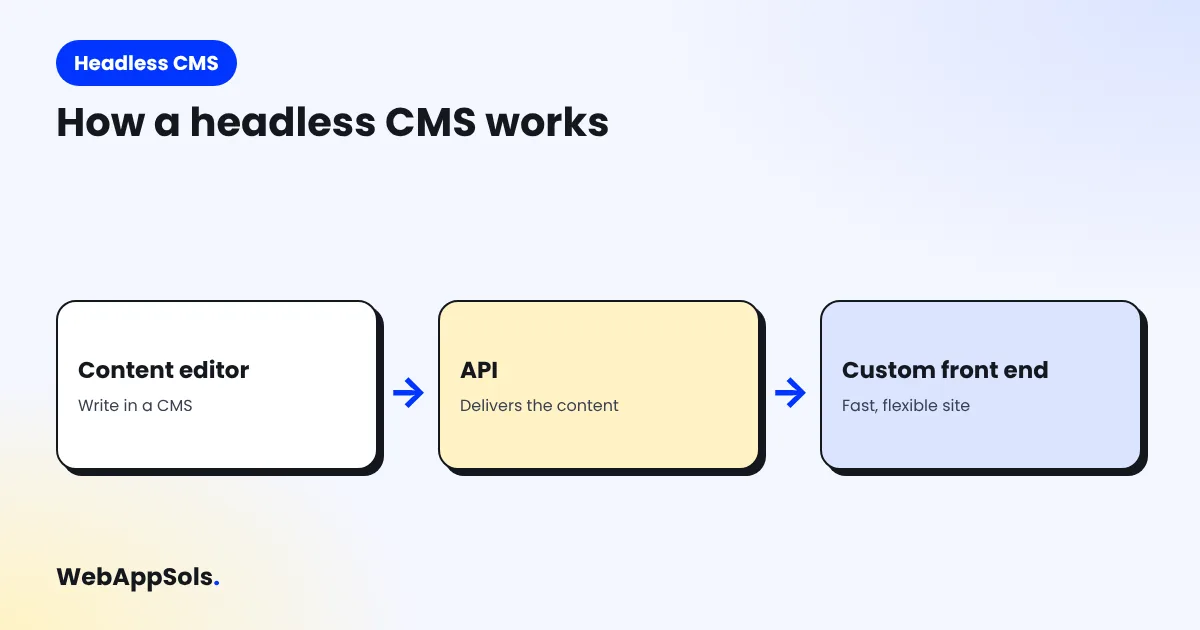
A headless setup keeps a CMS (sometimes WordPress itself) for editing content, while a custom-coded front end displays it. Editors keep a familiar dashboard; developers get speed and flexibility. It costs more than standard WordPress, so it suits sites with real performance or integration needs.
Maintenance and security on either platform
No website is "set and forget." WordPress needs core, theme and plugin updates; custom sites need framework and dependency updates. Both need backups, monitoring and security checks; the OWASP Top 10 lists the most common web risks. Plan for website maintenance in your budget either way; here is what website maintenance includes.
Frequently asked questions
Is WordPress good enough for a small business website?
For most small business websites, yes. It handles service pages, blogs and contact forms well, provided it is kept updated and not overloaded with plugins.
Is a custom-coded website better for SEO?
Not automatically. Both can rank well. Custom sites make it easier to achieve top speed, while WordPress makes it easier for teams to publish content often. Execution matters more than platform.
Can I edit a custom-coded website myself?
Yes, if it is built with a CMS or admin panel. Without one, changes need a developer, so ask about editing before you choose.
Can I move from WordPress to a custom site later?
Yes. Keep your URLs and redirects planned so you keep your search traffic during the move.
Need help with this?
Not sure which build fits? We work in both WordPress and modern frameworks and will recommend one in your written quote.