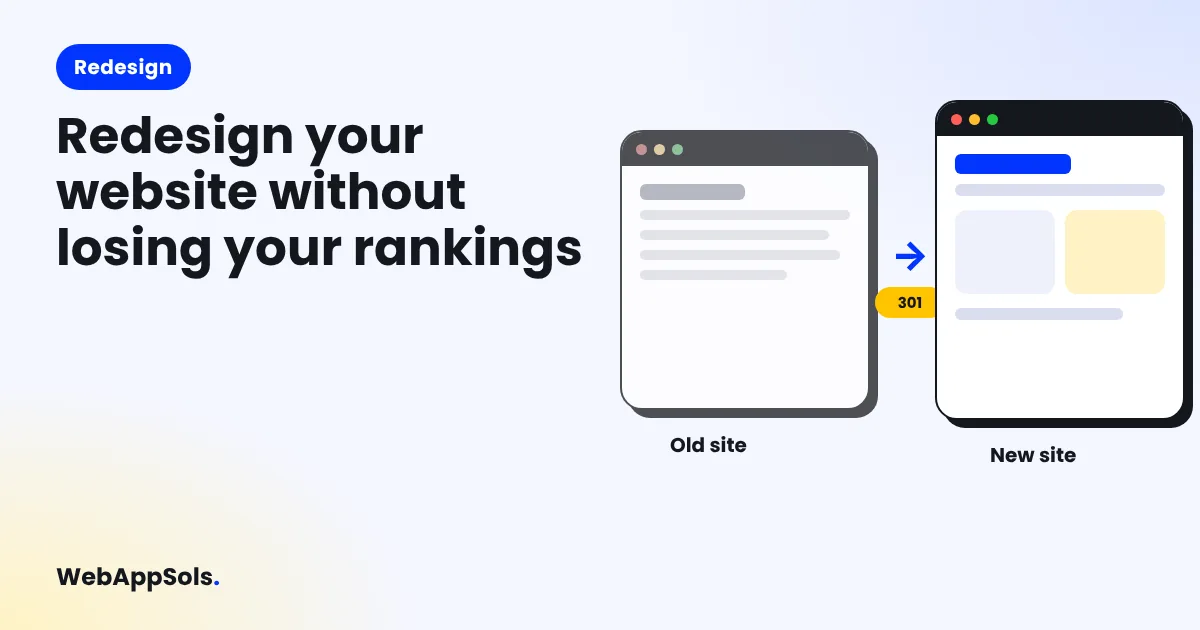
A redesign should bring in more customers, not fewer. Yet a new site can lose search traffic overnight if old page addresses disappear, content that ranked is cut, or the staging site's "do not index" setting goes live. This checklist walks through the steps that protect what your current site has already earned.
Signs your website needs a redesign
- It is hard to use on a phone or loads slowly.
- It no longer describes what you sell or who you serve.
- You cannot update it without calling a developer.
- Visitors arrive but rarely call, book or fill in a form.
- It runs on outdated software or plugins that are no longer maintained.
If only one or two pages are the problem, improving those may be enough. A full redesign makes sense when structure, branding and technology all need to change.
Before you start: benchmark the current site
Export your search and traffic data
In Google Search Console, export the Performance report for the last 12 months by page and by query. In Google Analytics, export landing pages with sessions and conversions. These numbers show which pages matter and give you a baseline to compare against after launch.
Crawl and list every URL
Use a crawler (Screaming Frog's free version covers up to 500 URLs) or your CMS export to list every live URL, including blog posts, PDFs and image-heavy pages. Mark the pages that receive search traffic, links from other sites or conversions. Those are the pages you must not lose.
Plan the new structure with SEO in mind
- Keep URLs that already work. If a page's address does not need to change, do not change it.
- Keep or improve the content of ranking pages. Rewriting is fine; deleting the parts that answered the searcher's question is not.
- Carry over page titles and meta descriptions that perform well, then improve weak ones.
- Plan the internal links in the new navigation so important pages are not buried.
This is also the moment to decide on the platform. If you are weighing WordPress or a custom-coded build, decide before design starts, because it affects URL patterns.
Build a URL redirect map
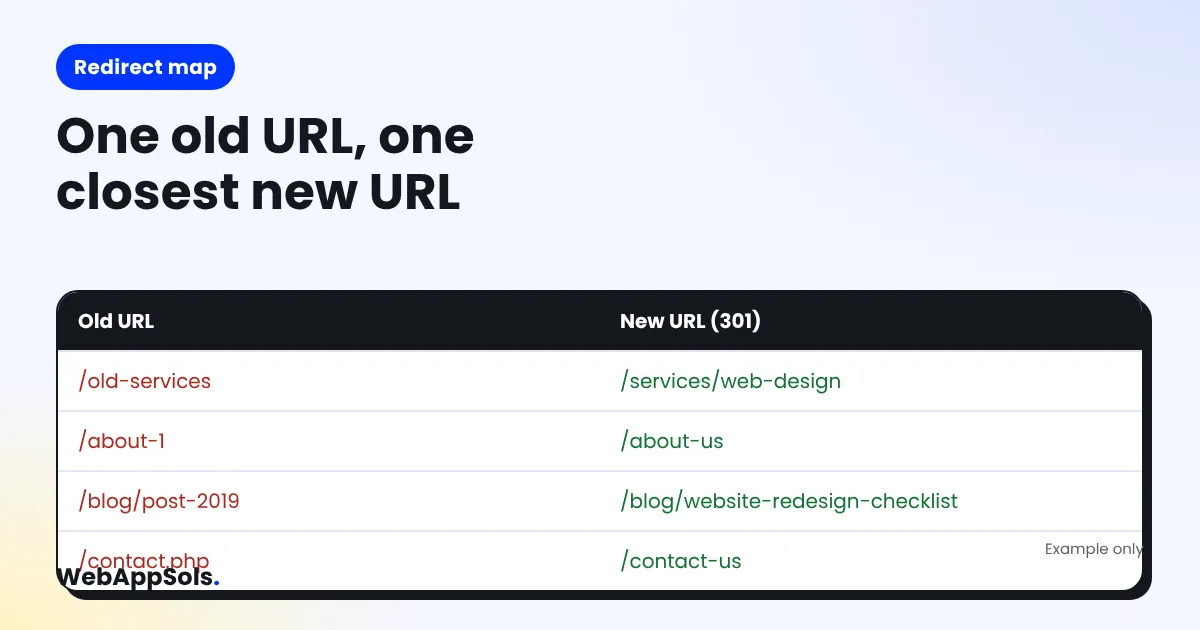
For every old URL that changes or is removed, choose the closest matching new page and record it in a two-column sheet: old URL, new URL. Then set up permanent (301 or 308) server-side redirects. Google's guidance on site moves with URL changes recommends mapping each old URL to its new equivalent rather than sending everything to the homepage.
- Redirect one-to-one wherever possible.
- Avoid chains (A to B to C); point A straight to C.
- Only let a page return a 404 if there is truly no replacement.
Build and test on a staging site
Build on a staging address that is password-protected or set to noindex, so search engines do not index an unfinished duplicate. Before launch, test forms, checkout or booking, mobile layouts and page speed on the staging site.
Launch-day checklist
- Remove the noindex tag and any password protection from the live site.
- Confirm robots.txt is not blocking important pages.
- Upload and test the redirect map: spot-check your top 20 old URLs.
- Check that each page has a self-referencing canonical tag on the live domain.
- Submit the new XML sitemap in Search Console.
- Confirm analytics and conversion tracking fire on forms, calls and purchases.
Our website launch SEO checklist covers these final checks in more detail.
The first 30 days after launch
Check Search Console's Pages report weekly for new 404 errors and pages that dropped out of the index, and fix redirects as you find gaps. Compare traffic and conversions to your benchmark by page, not just site-wide. Some fluctuation in the first few weeks is normal while Google recrawls; a steady drop on specific pages usually points to a missing redirect or removed content.
Frequently asked questions
Will a website redesign hurt my SEO?
It does not have to. Most ranking losses after a redesign come from changed URLs without redirects, removed content, or a noindex tag left on. Planning for those three prevents most problems.
How long does it take Google to process a redesigned site?
It varies with site size and how often Google crawls you. Small sites are often recrawled within weeks; submitting the sitemap and inspecting key URLs in Search Console helps.
Should I redirect deleted pages to the homepage?
Generally no. Redirect each removed page to the most relevant new page. If nothing relevant exists, a 404 is acceptable.
Do I need to keep my old URLs?
Keep them when you can, especially for pages with search traffic or backlinks. If they must change, permanent redirects pass visitors and search engines to the new address.
Need help with this?
Redesigning your site? We plan the redirect map and launch checks as part of every rebuild. Request a free quote.